
The BoostUp app is used to upsell and cross sell products. You can boost the AOV of your store in a simple 3 step process:
Step 1 Select your campaign type
Step 2 Create the campaign
Step 3 Customize the widgets to suit your store.
Now, let’s look into each of them in detail.
Select your campaign type

- You can choose one or more campaign types that would best suit your use case and store.
- Once you decide the campaign type that you would like to try, you can click on it.
Create a campaign

A campaign setup involves 4 things:
1) Selecting the trigger products
Trigger products are the primary product that when triggered displays the campaign and shows the related cross-sell products. You can choose one or more trigger products by specific products, tags, etc.
For example, on the sneaker product page, if you want to show matching socks as offer products, the sneakers will be the trigger product.
2) Selecting the offer products
Offer products are those that can be bought along with the trigger product.
For example, on the sneaker product page, if you want to show matching socks as offer products, the socks will be the offer product.
3) Other Settings
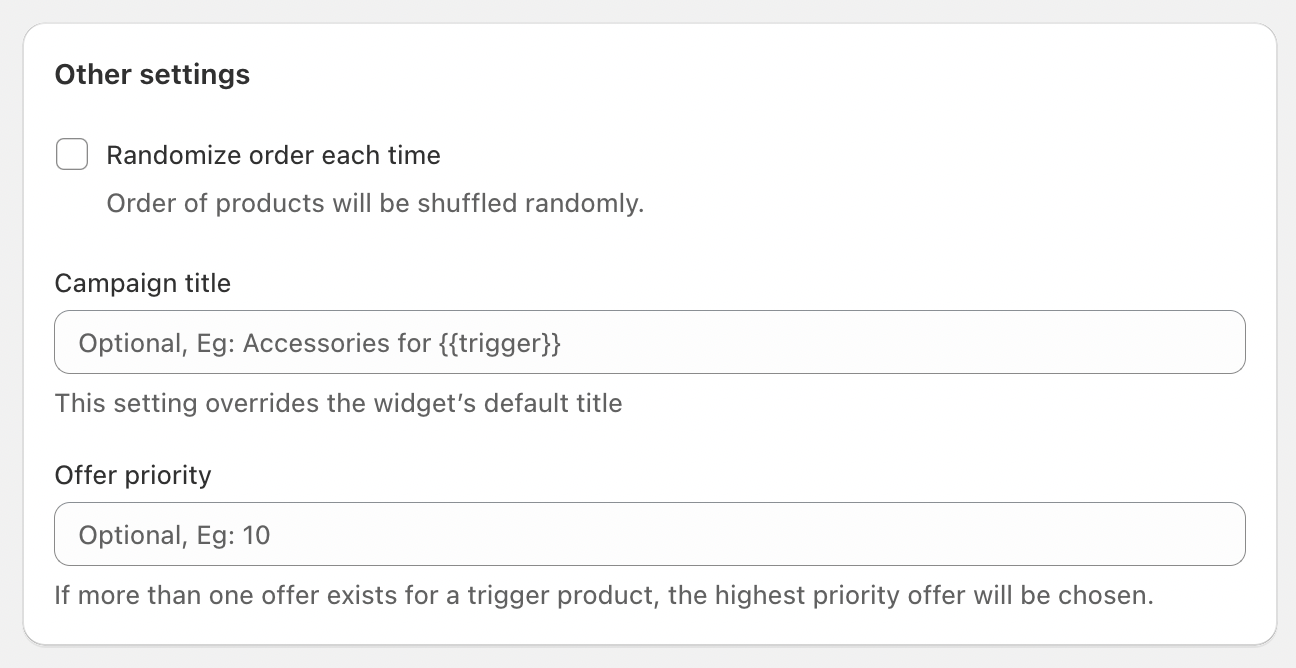
Fine-tune your campaign's display and priority with these optional settings.
-
Randomize order each time: Check this to randomly shuffle the display order of your offer products each time the widget appears.
-
Campaign title: Enter a custom title to override the widget's default. This field is optional.
-
Offer priority: If a product is part of multiple campaigns, this setting decides which one to show. The campaign with the highest priority number will be displayed. For example, an offer with priority
20will be shown over an offer with priority10.
4) Customize Widget Appearance
Click the Customize widget button to adjust the visual design and position of your offer. This will open the widget editor where you can control layout and style.
Customize and troubleshoot

Every online store is unique, and our widgets are designed to be flexible. From the BoostUp app's customize page, you can easily adjust the positioning and styling to match your brand. For more advanced control, you can also use custom CSS.
If you run into any issues, such as conflicts with your theme or other apps, our team is here to help. We offer free setup assistance to ensure everything runs smoothly.
For more details, please check out our other articles on creating specific campaigns. As always, if you need help, we are just a message away!