
Limitations
Please note the following restrictions for this campaign:
-
The campaign is compatible only with Shopify Payments, Shopify’s native payment gateway.
-
The original order must be paid using either a credit card or PayPal Express.
-
The checkout currency of the initial order must match your store’s default currency.
When to Use This Campaign
You can use this campaign to show special offer products after a customer places an order.
Step 1: Create a Campaign
This campaign lets you showcase related or promotional products on the post purchase upsell in a simple list view.
To get started:
- Select Post Purchase Upsell.
- Click the Create Campaign button.

- Provide a campaign name. This will not be visible on the storefront.

Step 2: Choose a Trigger Product Type
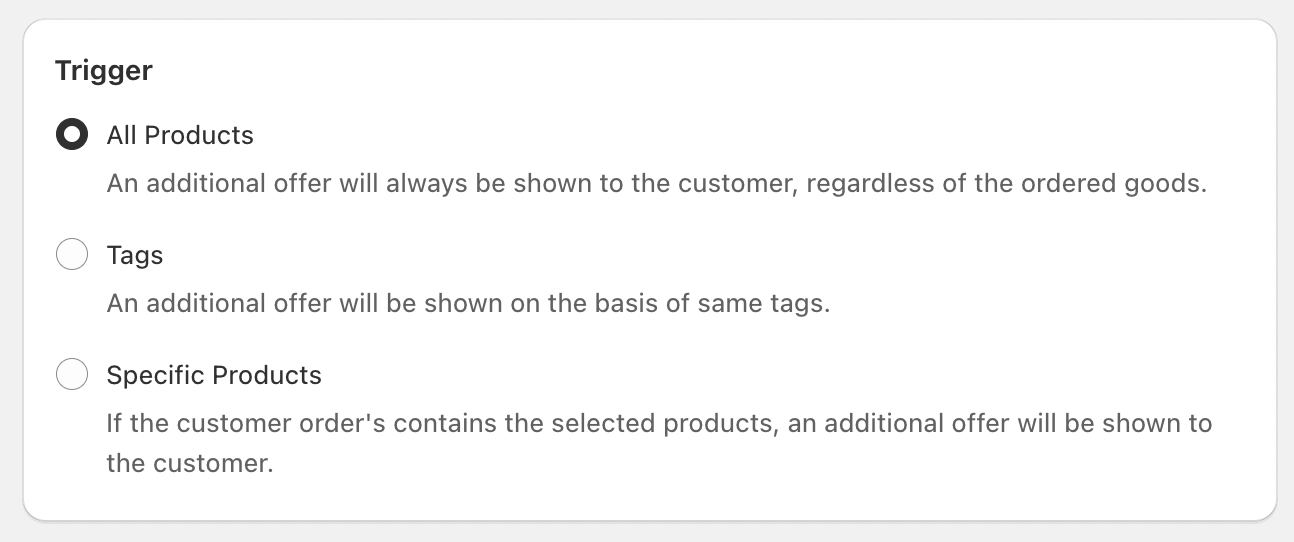
Your post-purchase campaign should appear by selecting a trigger type. This setting controls which products will show your campaign on the post-purchase page.
-
All Products – Display the campaign for every product in your store on the post-purchase page.
-
Specific Products – Choose individual products where you’d like the campaign to appear after checkout.
-
Specific Tags – Enter product tags, and the campaign will automatically show for any product that carries those tags on the post-purchase page.
Step 3: Offer products
Select the exact products you want to showcase in your campaign.

Step 4: Other optional settings
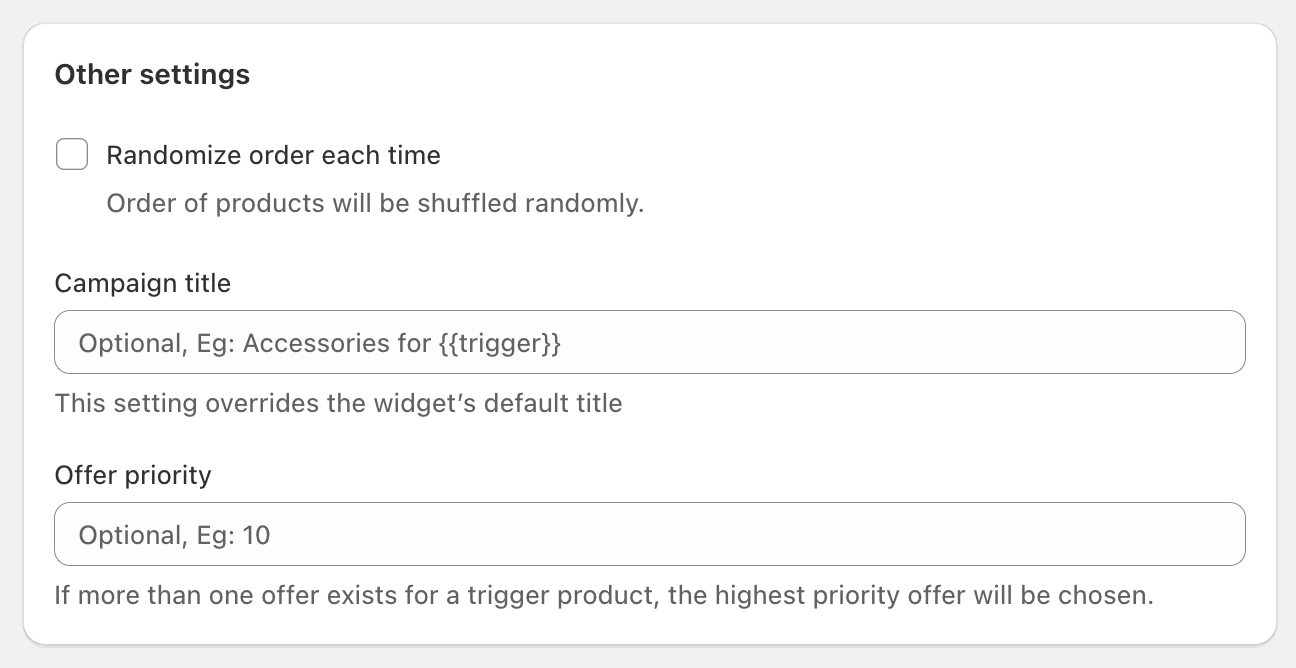
Add a banner title for custom text, or leave it blank to use the default text from widget settings.
Campaign Priority
If a trigger product is linked to multiple add-on campaigns, you can assign a priority value to determine which campaign will be displayed. A higher number indicates a higher priority.
Example:
-
Campaign 1: Applies to all joggers with the tag “joggers” (Priority: 1)
-
Campaign 2: Applies to the specific product “Runvo Ultra Joggers”, which also has the “joggers” tag but a different set of offer products (Priority: 2)
In this example, when a customer purchases the Runvo Ultra Joggers, Campaign 2 will appear because it has the higher priority. For any other joggers, Campaign 1 will be shown.
Randomize the Order of Offer Products
By default, offer products appear in the same order they were added in the app. Enable this option to shuffle the product order each time the campaign is shown.